


Follow links.
Link a thought to the next one, and the one after that. Linking as you write is how notes turn into knowledge.

Start with a folder of markdown notes on your local machine. Grow it into your team’s shared memory. Or your product’s public documentation. Same tool, same files, fully under your control.

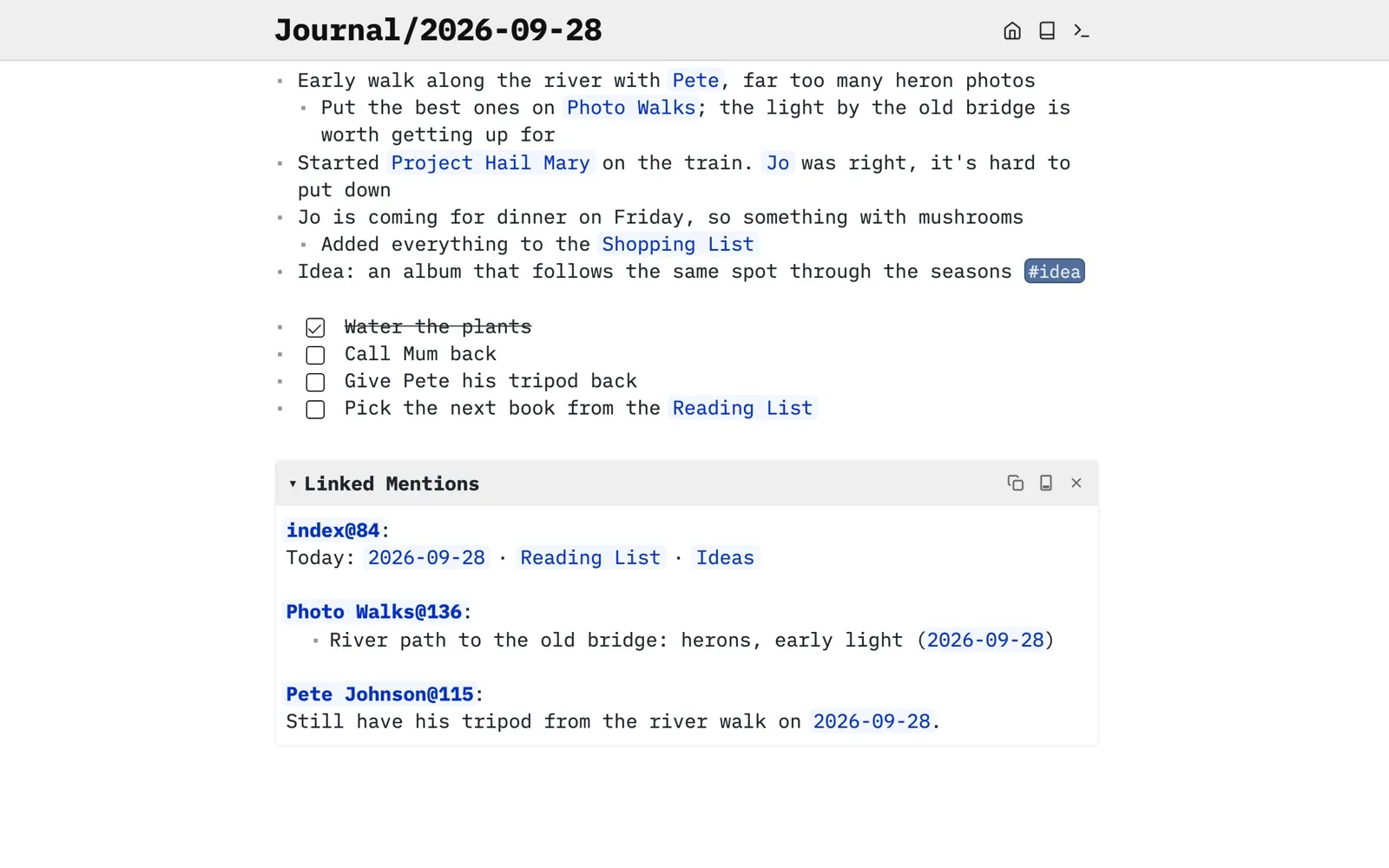
Open a folder, start writing. Journal, keep tasks, collect ideas, and link them together as you go. It’s all markdown files on your own computer, and nothing leaves it unless you want it to.
Run a server of your own, or pick a host, and your notes follow you to every device. On your phone, SilverBullet installs straight from the browser as a home screen app. It keeps working offline and catches up when you’re back online.

Share a space and work on it together in real time: assign tasks with @-mentions, discuss in comments, and see edits appear as they happen. Or keep your docs next to your code in git, and review changes like any other pull request. Same markdown either way.

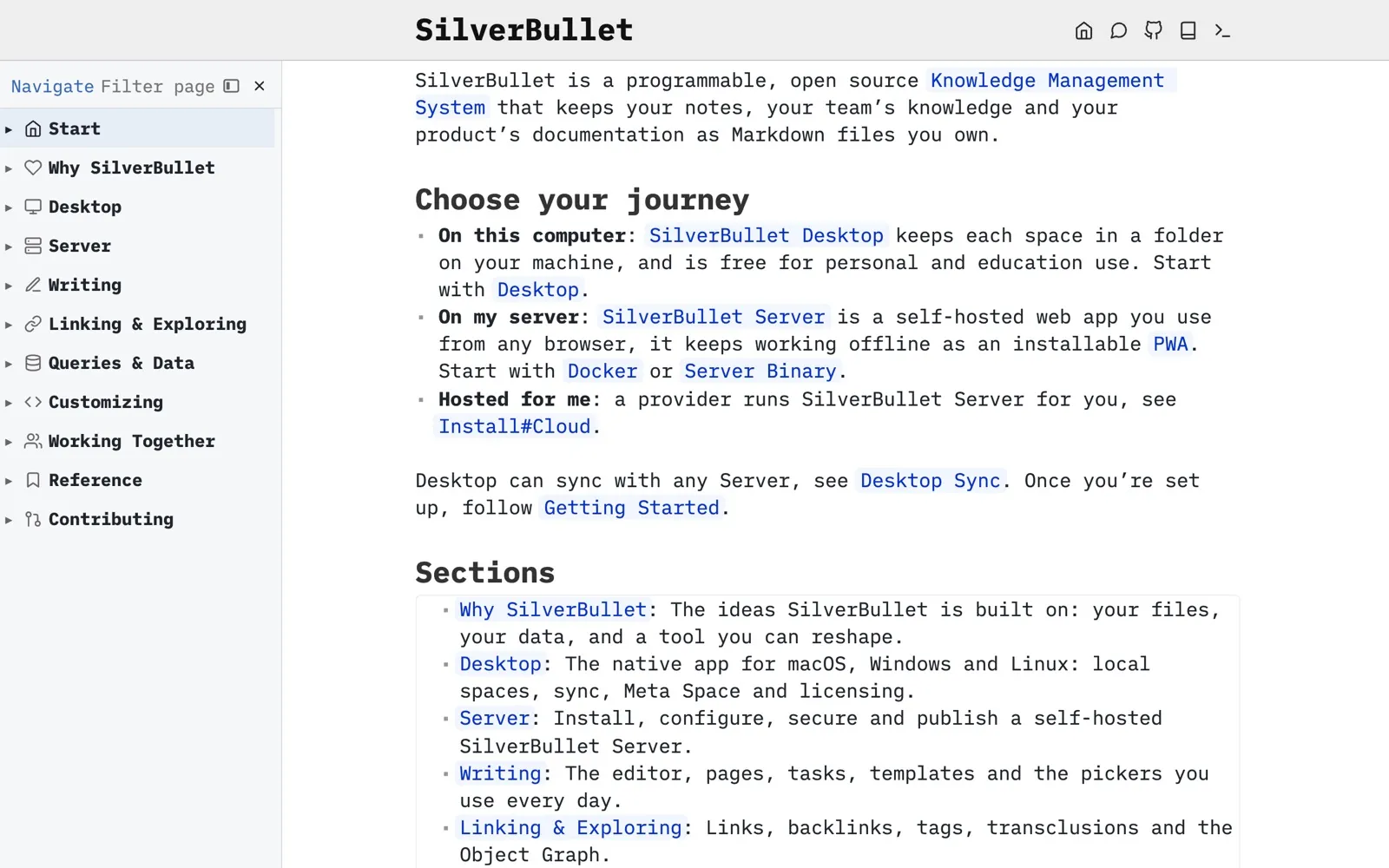
Publish a space as a website, read-only, styled your way. SilverBullet’s own documentation is an example of this.
Accruing knowledge is one thing, finding your way through it is another.
Link a thought to the next one, and the one after that. Linking as you write is how notes turn into knowledge.
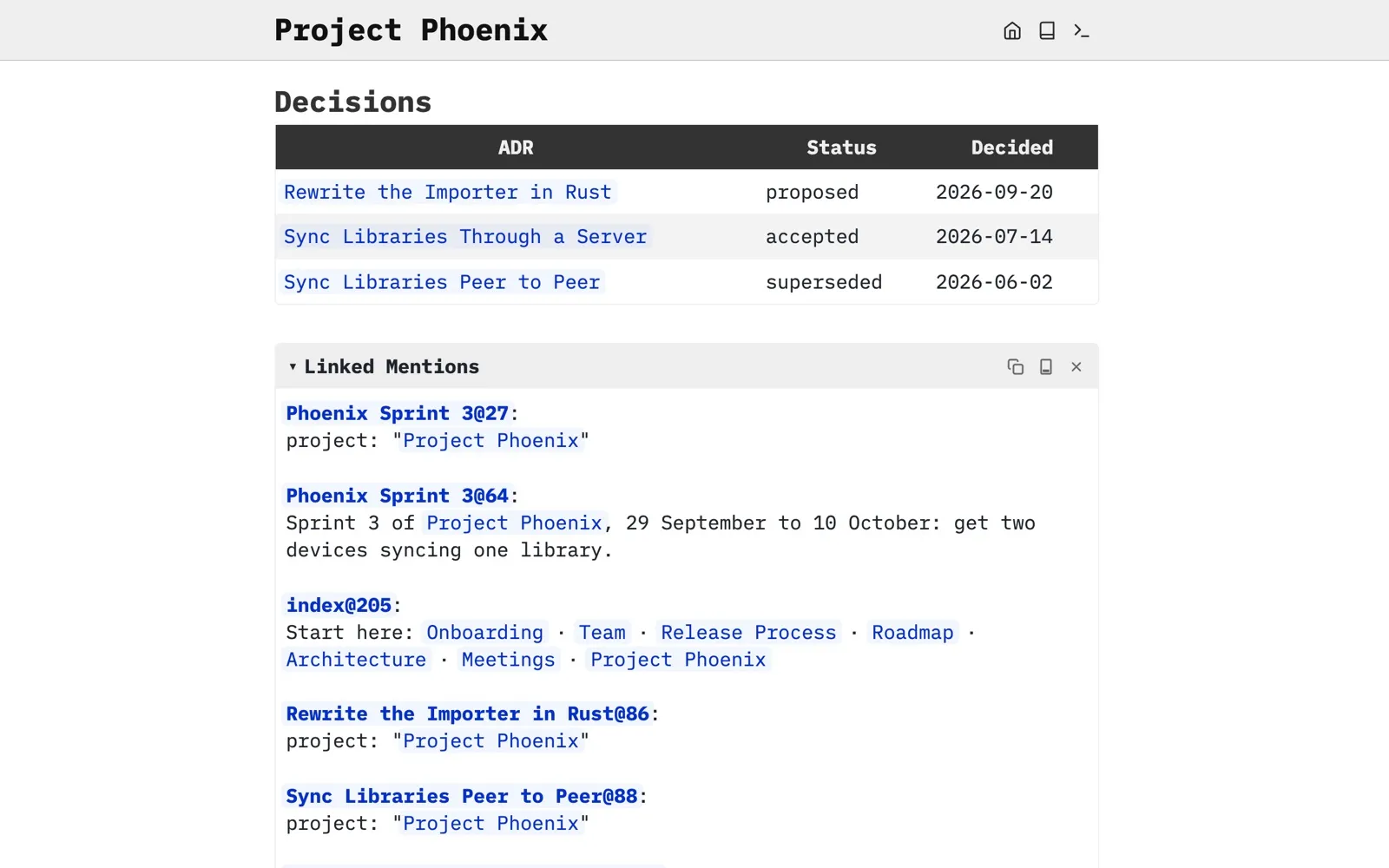
Every page shows everywhere else it’s mentioned, so connections you made months ago surface on their own.
The object graph draws your pages and how they relate, so you can wander through them visually.

Query your notes like a database: open tasks across every project, everything tagged #decision, the pages you touched this week.
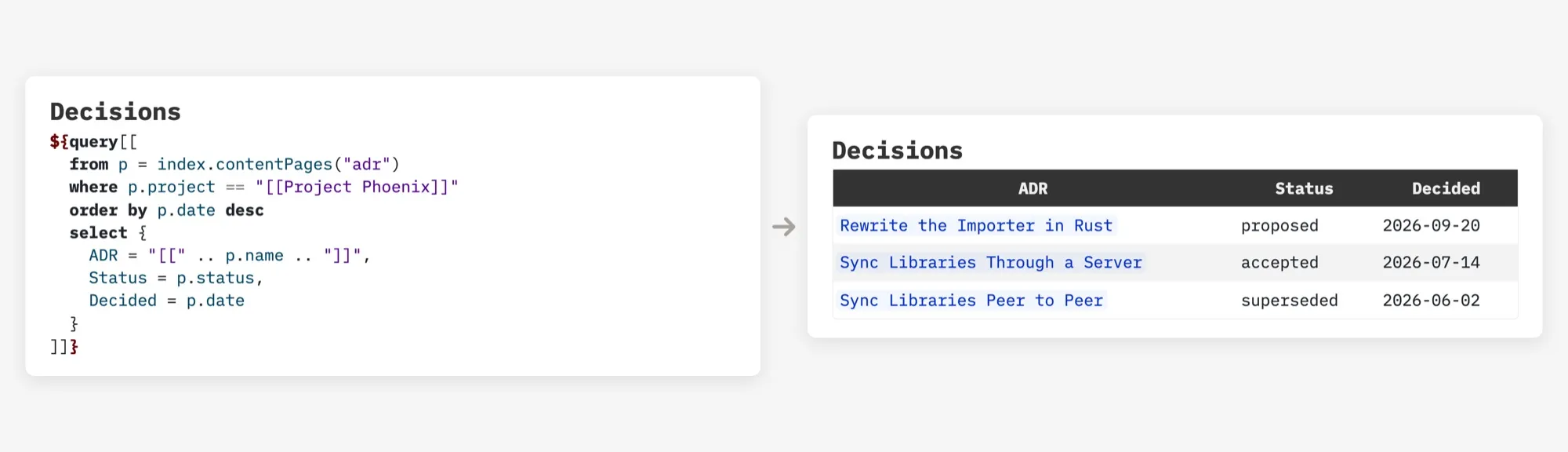
Start with a great editor and add what you need when you need it: live queries, custom commands, your own styling, libraries others have shared. SilverBullet changes shape with you instead of making you change shape for it.
${query[[from t = index.tasks() where not t.done
  order by t.page desc
  select templates.taskItem(t)]]}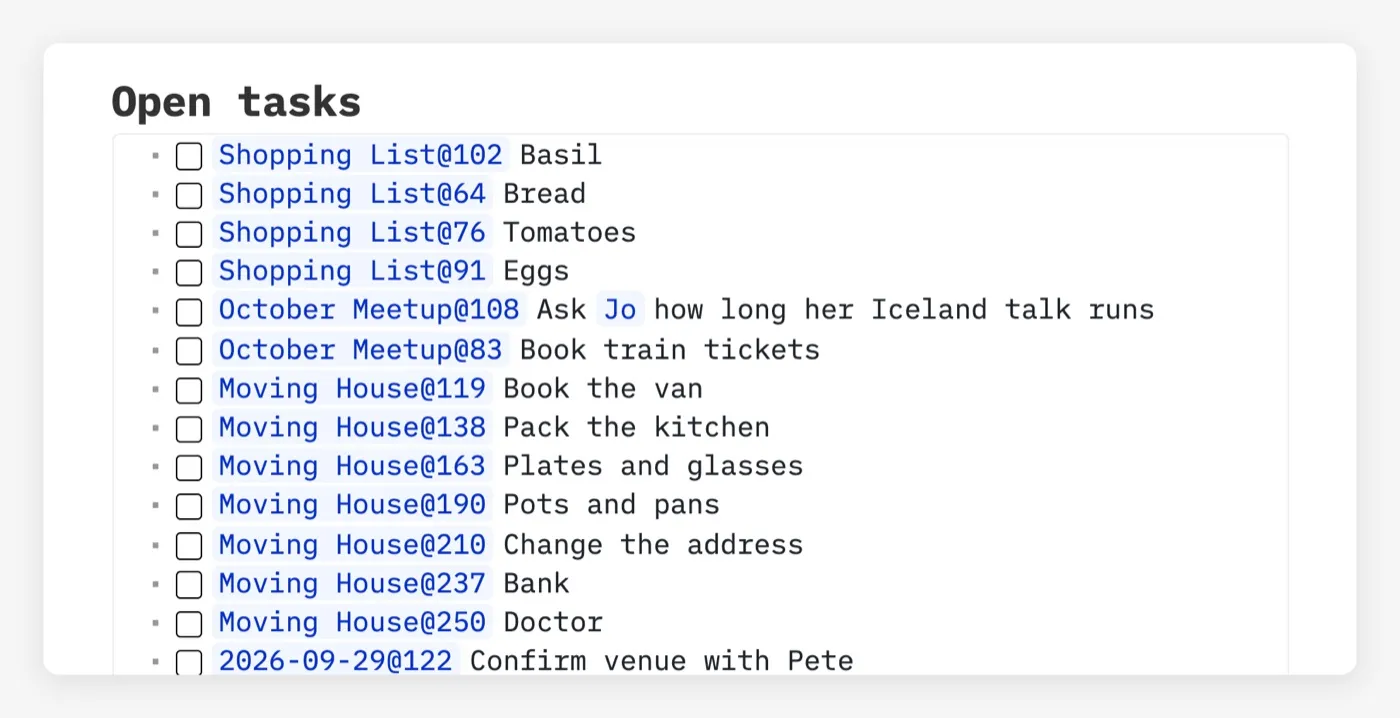
Your notes are markdown in an ordinary folder, next to your images and PDFs. Open them in any editor, put them in git, back them up however you like. If SilverBullet disappeared tomorrow, your knowledge wouldn’t.
Pick SilverBullet Desktop. A native app for macOS, Windows and Linux, with your spaces as folders on your machine. Free for personal use.
Get Desktop →Pick SilverBullet Server. Self-host it as a single container, then use it from any browser, including on your phone. Open source and free.
Set up Server →Let a hosting provider run SilverBullet Server for you. Sign up and start writing in minutes.
Find a host →Desktop syncs with any Server, so you can combine them and switch later. Where your data lives →